 CapaCloud blog
How to Run TensorFlow on Cloud GPUs: Setup, Optimization, and Cloud Alternatives
Learn how to run TensorFlow on cloud GPUs, improve model training performance, and choose the right GPU infrastructure for your machine learning workloads.
TL;DR
- Cloud GPUs accelerate TensorFlow workloads without requiring developers to purchase and maintain local GPU hardware.
- Successful TensorFlow GPU setup depends on compatible hardware, drivers, software libraries, and framework versions.
- Mixed-precision training, batch-size tuning, and efficient data pipelines can improve GPU utilization and training performance.
- Choosing a cloud GPU requires evaluating VRAM, compute performance, pricing, availability, software compatibility, and workload requirements.
- CapaCloud offers a decentralized GPU computing alternative for developers exploring flexible access to GPU resources for machine learning workloads.
Training machine learning models can demand significant computing power, especially as datasets grow and models become more complex.
TensorFlow supports GPU acceleration, but buying suitable hardware and maintaining the necessary software environment can be expensive and time-consuming. Cloud GPUs provide access to computing resources without requiring developers to own the hardware.
Traditional cloud providers are one option, but they are not the only way to access GPU compute.
Decentralized GPU platforms such as CapaCloud offer an alternative model for sourcing computing resources, giving developers another option to consider for their machine learning workloads.
In this guide, you will learn how to set up TensorFlow on a cloud GPU, improve training performance, troubleshoot common configuration problems, and evaluate different infrastructure options. You will also discover what to consider when exploring decentralized GPU computing for TensorFlow projects.
Table of Contents
- TL;DR
- Why Run TensorFlow on Cloud GPUs?
- What You Need to Run TensorFlow on a Cloud GPU
- How to Set Up TensorFlow on a Cloud GPU
- How to Optimize TensorFlow Performance on Cloud GPUs
- Common TensorFlow Cloud GPU Problems and How to Fix Them
- How to Choose a Cloud GPU Alternative for TensorFlow
- Using CapaCloud for TensorFlow GPU Workloads
- FAQs
- Final Thoughts on How to Run TensorFlow on Cloud GPUs
Why Run TensorFlow on Cloud GPUs?
TensorFlow can use GPUs to accelerate many machine learning operations, particularly the matrix calculations common in deep learning.
Running these workloads in the cloud gives developers access to suitable hardware without the upfront cost of building a dedicated GPU workstation.
Cloud GPUs can be useful for several reasons:
- Faster model training: Suitable GPUs can process many operations in parallel, reducing training time for compatible workloads.
- Flexible computing resources: Developers can choose hardware based on the memory and performance their models require.
- Lower hardware management overhead: Renting GPU resources removes the need to purchase and maintain the physical hardware yourself.
- Support for experimentation: Teams can test different model architectures and configurations without committing to a permanent hardware setup.
- Access to alternative infrastructure: Decentralized GPU platforms such as CapaCloud provide another way to explore available GPU computing resources.
Cloud GPUs are not automatically faster or cheaper for every project. Performance depends on the selected GPU, data pipeline, software configuration, and workload. Comparing these factors helps determine whether cloud infrastructure is the right choice.
What You Need to Run TensorFlow on a Cloud GPU
Before setting up TensorFlow, check that your chosen environment meets the requirements of your framework version and workload.
Compatible GPU Hardware
The GPU determines how much parallel computing power and memory are available for your workload. Models with large parameters, high-resolution inputs, or large batches may require more video memory (VRAM).
When choosing a GPU, consider:
- VRAM capacity: Ensure the GPU has enough memory for your model, input data, and intermediate calculations.
- Compute performance: Consider the GPU architecture and its capabilities for your intended workload.
- Workload size: Small experiments may need fewer resources than large-scale training jobs.
- Software support: Verify that your chosen GPU supports the required drivers and software libraries.
A more powerful GPU is not always necessary. Start with the requirements of your model and choose hardware that can handle the workload efficiently.
Operating System and GPU Drivers
Your operating system and GPU drivers must support the hardware and software you intend to use. Many cloud GPU environments use Linux, although availability depends on the provider.
Before installation, confirm that:
- The operating system is supported by your chosen TensorFlow setup.
- The GPU driver is compatible with the hardware.
- Required permissions are available to install or configure software.
- The environment provides the access needed to manage dependencies and run workloads.
Checking these requirements first can prevent configuration problems later.
TensorFlow, CUDA, and cuDNN Compatibility
TensorFlow’s GPU support depends on the version and installation method you choose.
CUDA and cuDNN are NVIDIA software components used by supported TensorFlow configurations to accelerate GPU operations.
Before installing TensorFlow:
- Check the official compatibility requirements for your TensorFlow version.
- Confirm that the GPU, driver, and required libraries work together.
- Follow the recommended installation method for your operating system.
- Avoid mixing incompatible package versions or installing unnecessary dependencies.
Getting these components right provides a reliable foundation for GPU-accelerated TensorFlow workloads.
How to Set Up TensorFlow on a Cloud GPU
Setting up TensorFlow on a cloud GPU involves choosing suitable hardware, configuring the software environment, and confirming that TensorFlow can access the GPU.
Follow these steps to get started.
Step 1: Choose and Provision a Cloud GPU
Start by selecting a GPU that matches your model’s computing and memory requirements. Consider the amount of VRAM available, expected training time, resource availability, and rental cost.
Once you have chosen a suitable configuration, provision a GPU instance through your preferred cloud provider or GPU rental platform. Check the operating system, storage, and access options before starting the instance.
Step 2: Connect to the GPU Environment
Many cloud GPU environments support Secure Shell (SSH), which lets you access a remote machine through a terminal. Other providers may offer a browser-based terminal or a different connection method.
After connecting, check that the environment is working as expected. If you are using an NVIDIA GPU, run the following command to view the available GPU and its current status:
nvidia-smi
The output should display information about the GPU, driver version, memory, and utilization. If the command fails, check whether the GPU drivers are installed and whether your environment has access to the device.
Step 3: Install the Required Software
Set up a Python environment to keep TensorFlow and its dependencies separate from other projects. For example, you can create a virtual environment using Python’s built-in venv module:
python3 -m venv tf-env
source tf-env/bin/activate
python -m pip install –upgrade pip
Install TensorFlow using the method recommended for your operating system and TensorFlow version. For supported Linux and WSL2 configurations, the official pip installation route can use:
python -m pip install “tensorflow[and-cuda]”
This installation option is not suitable for every environment. Check TensorFlow’s official installation guidance and GPU compatibility requirements before proceeding. Some setups may require different packages or additional system-level configuration.
Step 4: Verify TensorFlow GPU Detection
Once installation is complete, check whether TensorFlow can detect the GPU. Run the following Python command:
python -c “import tensorflow as tf; print(tf.config.list_physical_devices(‘GPU’))”
If TensorFlow detects a GPU, the command returns a list containing the available GPU device or devices. An empty list means the GPU is not currently available to TensorFlow, although the underlying hardware may still be accessible.
If detection fails, check your TensorFlow version, GPU driver, library compatibility, and installation method. Resolving these issues before starting a long training job can save time and compute costs.
How to Optimize TensorFlow Performance on Cloud GPUs
Optimizing TensorFlow helps you make better use of GPU resources, reduce training time, and avoid unnecessary compute costs.
Use Mixed-Precision Training
Mixed-precision training can improve throughput and reduce GPU memory usage on supported hardware.
from tensorflow.keras import mixed_precision
mixed_precision.set_global_policy(“mixed_float16”)
Test the results to ensure training remains numerically stable and model accuracy is not affected.
Optimize Batch Size and GPU Memory Usage
Larger batches can improve GPU utilization but require more VRAM. Start with a manageable batch size and adjust it while monitoring memory usage and training speed. Reduce it if you encounter out-of-memory errors.
Improve the Data Input Pipeline
Slow data loading can leave your GPU idle. Use TensorFlow’s tf.data tools for parallel processing and prefetching.
dataset = dataset.prefetch(tf.data.AUTOTUNE)
Where possible, keep frequently accessed datasets close to your compute environment to reduce loading delays.
Profile GPU Utilization and Training Performance
Use TensorFlow Profiler and nvidia-smi to identify bottlenecks and monitor GPU usage.
Focus on training time, memory consumption, data loading delays, and overall compute time before deciding whether you need a more powerful GPU.
Reduce Unnecessary Compute and Data Transfer
Control cloud GPU costs by stopping idle instances, saving checkpoints, and avoiding repeated dataset transfers. Keep data close to your compute resources where practical, and review storage, network, and compute charges.
For more ways to control compute spending, explore our guide to reducing AI infrastructure costs with decentralized GPU networks.
Common TensorFlow Cloud GPU Problems and How to Fix Them
Even with a suitable cloud GPU, TensorFlow workloads can run into configuration errors, memory limitations, or performance bottlenecks. Identifying the cause early helps reduce debugging time and avoid unnecessary compute costs.
TensorFlow Cannot Detect the GPU
If TensorFlow returns an empty list when checking available GPUs, it may not have access to the device or the required software components may be incompatible.
How to fix it:
- Run nvidia-smi to check whether the system can detect the GPU.
- Verify that the installed TensorFlow version supports your environment.
- Check GPU driver and library compatibility.
- Reinstall TensorFlow using the recommended method for your setup if necessary.
If nvidia-smi detects the GPU but TensorFlow does not, focus on the Python environment, package installation, and library compatibility.
CUDA, cuDNN, or Driver Compatibility Errors
TensorFlow may fail to initialize GPU operations when its software dependencies do not match the environment. These problems can occur after installing a different TensorFlow version or changing GPU drivers.
How to fix it:
- Check the official compatibility requirements for your TensorFlow version.
- Confirm that the installed driver supports the required GPU libraries.
- Avoid mixing incompatible CUDA, cuDNN, and TensorFlow packages.
- Recreate the Python environment if conflicting dependencies are difficult to resolve.
Using a clean environment with compatible dependencies is often easier than troubleshooting multiple conflicting installations.
GPU Memory Exhaustion During Training
An out-of-memory error occurs when a workload requires more GPU memory than is available. Large models, high-resolution inputs, and oversized batches can all contribute to the problem.
How to fix it:
- Reduce the batch size.
- Use mixed-precision training if your GPU and model support it.
- Reduce input dimensions where appropriate.
- Review memory usage and release unnecessary GPU allocations.
- Consider a GPU with more VRAM if the model cannot fit within the available memory.
Low GPU Utilization Despite Having a Capable GPU
Low utilization can indicate that the GPU is waiting for data or that parts of the workload are running inefficiently. Simply switching to a more powerful GPU may not solve the underlying problem.
How to fix it:
- Use TensorFlow Profiler to identify bottlenecks.
- Optimize data loading and preprocessing.
- Test different batch sizes.
- Check whether CPU operations or synchronization delays are limiting performance.
- Benchmark changes to determine whether they improve training speed.
Slow Dataset Loading or Storage Bottlenecks
Training can slow down when datasets take too long to load, especially when files are stored remotely or require extensive preprocessing.
How to fix it:
- Store frequently accessed data close to the GPU environment when practical.
- Use parallel data loading and preprocessing.
- Apply prefetching with TensorFlow’s tf.data API.
- Cache data when memory and storage capacity allow.
- Avoid repeatedly downloading large datasets during training.
Unexpected Cloud GPU Costs
GPU instances may continue to incur charges while idle, depending on the provider’s billing rules. Long training jobs, unnecessary data transfers, and unused storage can also increase total costs.
How to fix it:
- Stop or release GPU resources when they are no longer needed.
- Monitor training duration and resource utilization.
- Save checkpoints so interrupted jobs can resume without repeating all previous work.
- Review storage, network, and compute charges.
- Compare the total cost of completing a workload rather than looking at the GPU rental rate alone.
How to Choose a Cloud GPU Alternative for TensorFlow
Choosing a cloud GPU involves more than comparing hardware specifications.
The right option should meet your model’s requirements, support your software environment, and provide a suitable balance between performance, availability, and cost.
If you’re comparing different ways to access GPU compute, our guide to GPU compute marketplace platforms explores the options available to developers and AI teams.
Compare GPU Performance and VRAM
Start by identifying the GPU memory and computing power your TensorFlow workload requires. A model that runs comfortably on a smaller GPU may need significantly more VRAM as its parameters, input dimensions, or batch size increase.
Compare available GPUs based on:
- VRAM: Ensure enough memory is available for model parameters, activations, and intermediate computations.
- Compute performance: Consider the GPU architecture and expected performance for your workload.
- Training requirements: Distinguish between small experiments, large training jobs, and multi-GPU workloads.
- Scaling needs: Check whether suitable additional GPUs are available if your requirements grow.
Whenever possible, benchmark a representative workload before committing to a particular configuration.
Evaluate Pricing and Resource Flexibility
Cloud GPU pricing can include compute rental, storage, data transfer, and other usage-related charges. A low hourly rate does not necessarily translate into the lowest overall cost if the workload takes longer to finish.
Before choosing a provider, compare:
- Compute rates and billing increments.
- Storage and data transfer costs.
- Minimum rental periods or other usage restrictions.
- Flexibility to start and stop resources.
- The expected cost of completing your workload.
Short experiments may benefit from flexible rental arrangements, while longer training jobs require careful consideration of sustained availability and total cost.
Check Framework Compatibility and Environment Access
TensorFlow workloads depend on compatible hardware, drivers, libraries, and operating system configurations. Some environments offer preconfigured software, while others allow you to install and manage your own dependencies.
Check whether the platform supports your preferred operating system, required TensorFlow version, GPU drivers, and software installation method. Confirm that you have sufficient access to configure the environment and troubleshoot issues.
This is especially important when using alternative GPU infrastructure, where the available setup options may differ between machines.
Assess Availability, Reliability, and Scaling
A suitable GPU is only useful if it is available when you need it and can support your workload reliably.
Consider the following:
- Resource availability: Check whether the required GPU models are available when you plan to run jobs.
- Job continuity: Understand what happens if a machine becomes unavailable or a rental ends.
- Checkpointing: Ensure you can save model progress and recover from interruptions.
- Scaling: Determine whether additional resources are available for future workloads.
- Operational requirements: Evaluate networking, storage, and software configuration needs.
These factors help you choose infrastructure that fits your development workflow, rather than selecting a GPU based on specifications alone.
Using CapaCloud for TensorFlow GPU Workloads
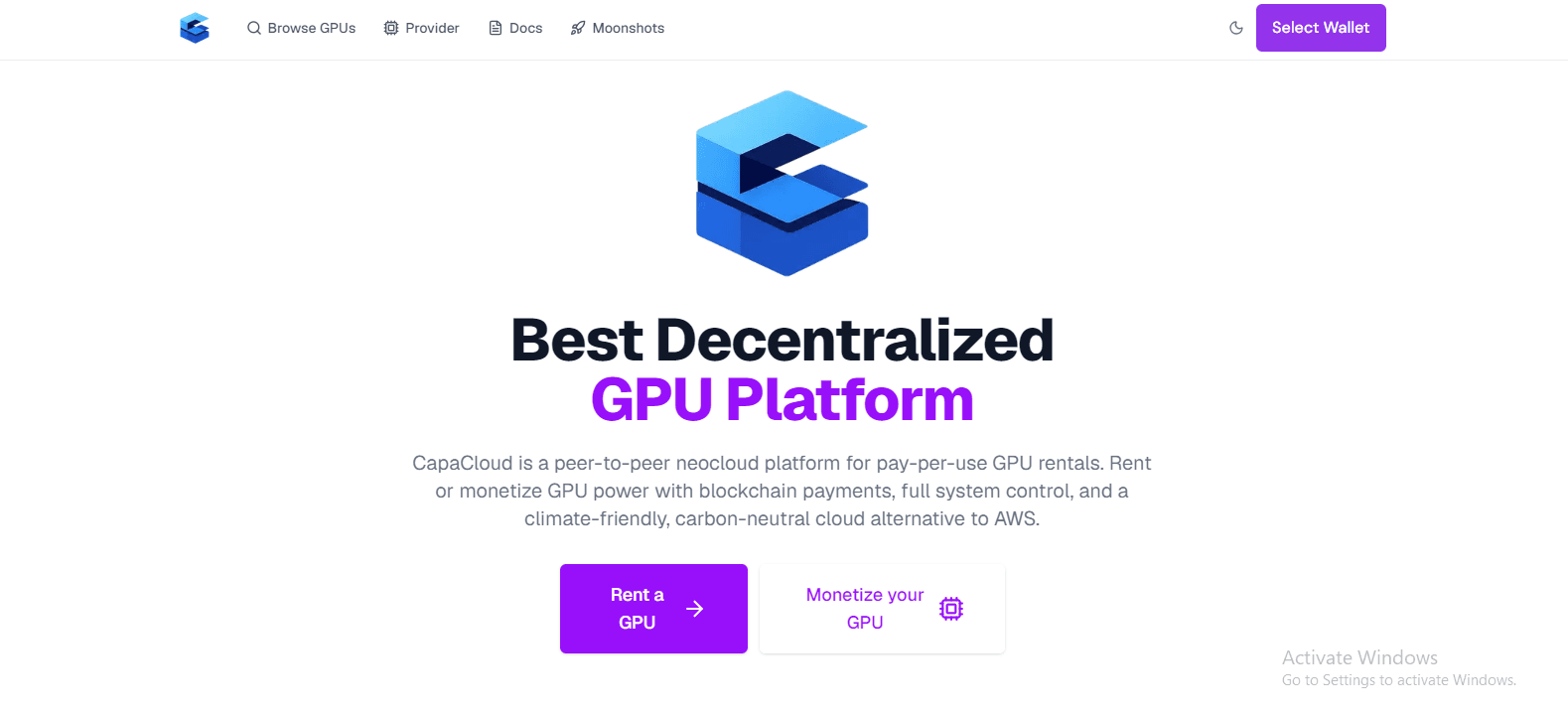
CapaCloud provides a decentralized GPU computing marketplace that developers can consider when looking for alternatives to conventional cloud infrastructure.
Rather than relying exclusively on a traditional cloud provider, developers can explore available GPU resources through a decentralized model.
For TensorFlow users, the key is to select a suitable GPU and confirm that the environment supports the required software configuration.
How CapaCloud’s Decentralized GPU Model Works
Traditional cloud GPU services generally provide computing resources through centralized infrastructure operated by a provider. Decentralized GPU computing offers another model, connecting users with GPU resources made available through a distributed network or marketplace.
CapaCloud provides access to GPU computing resources through its marketplace. This gives developers another option to evaluate when sourcing hardware for machine learning and other GPU-intensive tasks.
As with any infrastructure platform, actual performance, availability, and configuration options depend on the resources offered and the terms of the rental.
For a broader explanation of the technology behind this model, read our guide to decentralized GPU platforms and neocloud computing.
Setting Up a TensorFlow Environment on CapaCloud
Before starting a TensorFlow workload on CapaCloud, review the available GPU specifications and confirm that the selected environment meets your requirements.
A practical setup process involves:
- Select a suitable GPU: Compare available hardware, VRAM, and expected workload requirements.
- Provision the resource: Follow CapaCloud’s documented rental and setup process.
- Connect to the environment: Use the supported access method to reach the machine.
- Configure TensorFlow: Install a compatible TensorFlow version and the necessary software dependencies.
- Verify GPU access: Check that the system detects the GPU and TensorFlow can use it.
- Test your workload: Run a small training job before committing to a longer session.
The exact commands and configuration steps will depend on the GPU, operating system, and software environment provided for your rental. Follow the current CapaCloud documentation for platform-specific instructions.
Which TensorFlow Workloads May Suit CapaCloud?
CapaCloud may be worth evaluating for TensorFlow projects that need access to rented GPU computing resources, provided the selected hardware and environment meet the workload’s requirements.
Potential use cases include:
- Model experimentation: Testing architectures, tuning parameters, and validating training approaches.
- GPU-accelerated training: Training models that fit the available GPU memory and compute capabilities.
- Development and prototyping: Building and testing machine learning applications without purchasing dedicated GPU hardware.
Larger or production-critical workloads may require additional consideration of resource availability, networking, job continuity, and recovery options. Evaluate these requirements before choosing an environment.
What to Check Before Running TensorFlow on CapaCloud
Before renting a GPU for TensorFlow, verify the details that will affect your workload:
- GPU specifications: Confirm the GPU model, VRAM, and computing capabilities.
- Software compatibility: Check that the operating system, driver, and TensorFlow dependencies can work together.
- Storage and data transfer: Estimate the space needed for datasets, model files, and checkpoints.
- Rental costs: Understand compute charges and any applicable additional costs.
- Availability and continuity: Check the resource’s availability and plan how to save and recover training progress.
Taking these steps helps you determine whether a particular CapaCloud GPU resource is appropriate for your project before investing time and compute resources in a full training run.
FAQs
Can TensorFlow Run on a Cloud GPU?
Yes. TensorFlow can run on compatible cloud GPUs to accelerate supported machine learning workloads. You need a suitable GPU and a compatible software environment, including the required drivers and libraries.
How Do I Check Whether TensorFlow Is Using My GPU?
Run the following Python command to check whether TensorFlow detects a GPU:
import tensorflow as tf
print(tf.config.list_physical_devices(“GPU”))
If the output includes a GPU device, TensorFlow can detect it. You can then run a small computation to verify GPU execution.
Do I Need CUDA to Run TensorFlow on a GPU?
Requirements depend on your TensorFlow version, operating system, GPU, and installation method. Some supported NVIDIA GPU setups use CUDA and cuDNN, while installation requirements vary by environment. Follow the official TensorFlow installation instructions for your chosen configuration.
What Is the Best Cloud GPU for TensorFlow?
The best cloud GPU depends on your model size, VRAM requirements, training performance, software compatibility, and budget. Benchmark your workload on suitable configurations and compare the total cost of running it before choosing a provider.
Can I Run TensorFlow on CapaCloud?
CapaCloud provides access to GPU computing resources that developers can evaluate for TensorFlow workloads. Before renting a GPU, check its specifications, operating environment, software compatibility, and availability to confirm that it meets your project’s requirements.
Final Thoughts on How to Run TensorFlow on Cloud GPUs
Running TensorFlow on a cloud GPU gives developers access to computing resources without the upfront cost of purchasing dedicated hardware.
However, good results depend on more than GPU specifications. Software compatibility, memory management, data pipeline efficiency, and resource utilization all affect training performance and cost.
When comparing infrastructure options, consider both conventional cloud providers and decentralized alternatives. CapaCloud offers a decentralized GPU computing model worth exploring if you need another way to access GPU resources for machine learning development and experimentation.
Ready to explore decentralized GPU computing for your machine learning workloads?
Explore CapaCloud to discover its GPU infrastructure and assess whether it fits your TensorFlow requirements.