 CapaCloud blog
Online GPU Service Provider: How to Choose the Right GPU Cloud Platform
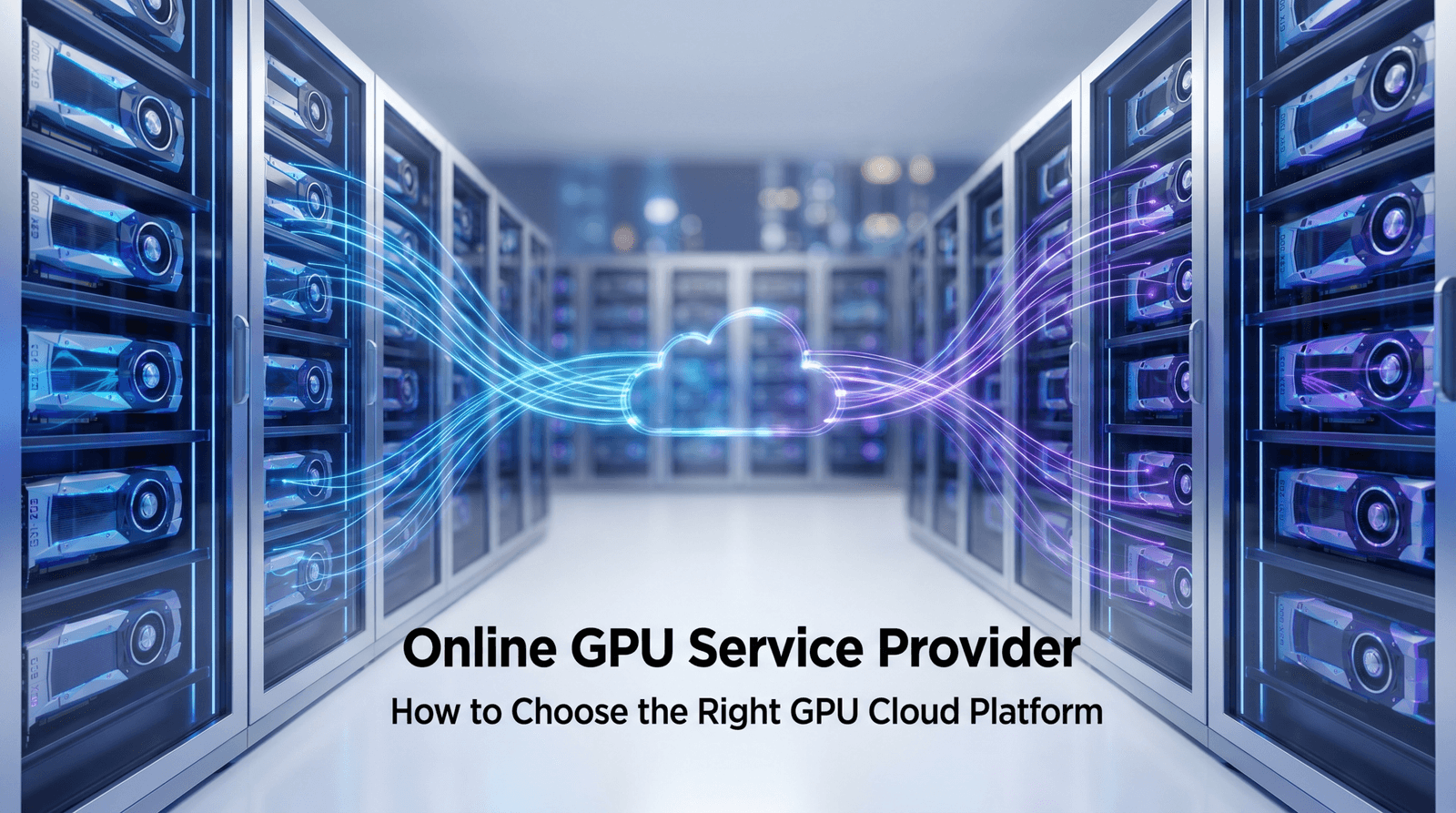
Looking for the best online GPU service provider? Learn how to evaluate GPU cloud platforms based on cost, performance, scalability, sustainability, and infrastructure flexibility for AI workloads.
Key Takeaways
- The right GPU cloud platform should align with your AI workload requirements, budget, and long-term growth plans.
- Evaluating total cost involves more than hourly pricing. Storage, networking, and GPU utilization all affect overall expenses.
- Decentralized GPU platforms are emerging as a compelling alternative to traditional cloud providers, offering greater flexibility and potentially lower costs.
- Performance, scalability, developer experience, and security are essential factors when comparing GPU service providers.
- Choosing a platform that avoids vendor lock-in can help organizations remain agile as AI infrastructure needs evolve.
The rapid growth of artificial intelligence, machine learning, and large language models has significantly increased demand for GPU computing resources. Instead of investing heavily in expensive hardware, many businesses and developers now rely on online GPU service providers to access powerful GPUs on demand.
However, not all GPU cloud platforms offer the same level of performance, pricing flexibility, scalability, or deployment experience. With traditional cloud providers, specialized AI platforms, and decentralized GPU networks all competing for market share, choosing the right solution can be challenging.
This guide explains the key factors to consider when selecting a GPU cloud platform in 2026, helping you compare providers based on cost, performance, scalability, sustainability, and long-term flexibility.
What Is an Online GPU Service Provider?
An online GPU service provider is a company or platform that allows users to rent graphics processing units (GPUs) over the internet instead of purchasing and maintaining physical hardware. These platforms provide on-demand access to powerful computing resources that can be used for artificial intelligence, machine learning, data processing, rendering, and other compute-intensive workloads.
Rather than investing in expensive on-premise infrastructure, businesses and developers can provision GPU instances whenever they need them and pay only for the resources they consume. Most modern GPU cloud platforms also provide additional tools such as container support, preconfigured AI environments, APIs, and scalable infrastructure to simplify deployment and management.
Online GPU services have become essential for organizations that need flexible, high-performance computing without the cost and complexity of owning dedicated GPU hardware.
Common Use Cases for Cloud GPUs
Cloud GPUs support a wide range of workloads across industries. Some of the most common use cases include:
- AI and Machine Learning Training: Train machine learning models and large language models using high-performance GPUs.
- AI Inference: Deploy trained models in production to process real-time predictions and generate AI outputs.
- Fine-Tuning Large Language Models: Adapt foundation models for domain-specific applications without building infrastructure from scratch.
- 3D Rendering and Visual Effects: Accelerate rendering workloads for animation, gaming, architecture, and media production.
- Scientific Research and Simulations: Run complex simulations, genomic analysis, and computational research workloads.
- Data Analytics and High-Performance Computing: Process massive datasets faster using parallel GPU computing.
Centralized vs Decentralized GPU Clouds
Today’s GPU cloud market is primarily divided into two categories: centralized cloud platforms and decentralized GPU networks. Understanding the differences between these models is essential when evaluating providers.
Traditional centralized GPU clouds are operated by a single organization that owns and manages all infrastructure. Examples include hyperscale cloud providers and specialized GPU cloud companies. Users rent GPU instances from the provider’s dedicated data centers.
Decentralized GPU platforms, on the other hand, aggregate computing resources from distributed infrastructure providers across a global network. Instead of relying on a single data center operator, these platforms create a marketplace where underutilized GPU capacity can be made available to users on demand.
Each approach offers distinct advantages.
| Feature | Centralized GPU Clouds | Decentralized GPU Clouds |
| Infrastructure Ownership | Single provider | Distributed network of providers |
| Pricing | Often premium-priced | Typically more cost-efficient |
| Resource Availability | Limited by provider capacity | Access to global distributed resources |
| Flexibility | Provider-specific ecosystem | Greater infrastructure flexibility |
| Sustainability | Varies by provider | Can improve utilization of existing hardware |
| Vendor Lock-In | Higher potential | Often lower |
For organizations seeking predictable enterprise environments, centralized providers may be attractive. Teams prioritizing cost efficiency, flexibility, and access to distributed compute resources may find decentralized GPU platforms a compelling alternative.
Key Factors to Consider When Choosing a GPU Cloud Platform
Selecting the right GPU cloud platform requires more than comparing hourly pricing. Organizations should evaluate providers across several technical, operational, and financial criteria.
GPU Availability and Hardware Options
Not every provider offers the same GPU inventory. Before choosing a platform, confirm that it provides the GPU models required for your workloads.
Popular GPU options include:
- NVIDIA H100
- NVIDIA H200
- NVIDIA A100
- NVIDIA L40S
- NVIDIA RTX 4090
Training large language models often requires enterprise-grade GPUs such as the H100 or H200, while inference, fine-tuning, and rendering workloads may perform well on lower-cost alternatives.
Performance and Scalability
Raw GPU access alone does not guarantee strong performance. Evaluate factors such as:
- Network bandwidth and latency
- Multi-GPU and multi-node support
- Cluster performance
- Uptime guarantees
- Benchmark transparency
The platform should also support scaling resources up or down as workload requirements evolve.
Pricing and Total Cost of Ownership
Hourly pricing is only one component of overall cost. Organizations should also assess:
- Storage charges
- Data transfer fees
- Idle resource costs
- Long-term commitments
- Reserved versus on-demand pricing options
A platform with a slightly higher hourly rate may still deliver lower overall costs through better utilization and fewer hidden fees.
Ease of Deployment and Developer Experience
A strong developer experience can significantly reduce deployment time and operational complexity. Look for features such as:
- One-click deployments
- Docker and container support
- Kubernetes compatibility
- Preconfigured AI environments
- APIs and automation capabilities
- Jupyter notebook environments
These capabilities enable teams to move from experimentation to production more quickly.
Security and Compliance
Organizations handling sensitive data should carefully evaluate a provider’s security capabilities.
Key considerations include:
- Encryption at rest and in transit
- Identity and access management
- Tenant isolation
- Audit logging and monitoring
- Compliance certifications
- Data residency options
Security and compliance become particularly important for enterprises operating in regulated industries.
GPU Availability and Hardware Options
The first question to ask any GPU cloud provider is simple: Do they offer the GPUs your workload requires?
Not all platforms provide access to the same hardware, and GPU availability can vary significantly between providers. Some platforms specialize in enterprise-grade accelerators, while others focus on consumer GPUs or a mix of both.
Common GPU options available in 2026 include:
- NVIDIA H100 and H200 for large-scale AI training and LLM development
- NVIDIA A100 for machine learning training and high-performance computing workloads
- NVIDIA L40S for inference, graphics, and AI applications
- NVIDIA RTX 4090 for fine-tuning, inference, rendering, and cost-conscious AI projects
The right GPU depends on your use case. Training large language models may require high-memory GPUs and multi-node clusters, while inference and fine-tuning workloads can often run efficiently on lower-cost alternatives.
It is also worth evaluating how easily a provider can scale GPU capacity as demand grows. Limited inventory or long provisioning delays can slow down projects and increase operational costs.
Performance and Scalability
GPU specifications alone do not guarantee strong performance. The underlying infrastructure plays a critical role in determining how quickly workloads run and how well they scale.
When comparing providers, consider factors such as:
- Network bandwidth and latency
- Multi-GPU and multi-node support
- Storage performance
- Uptime guarantees
- Infrastructure reliability
- Published benchmarks or performance testing results
For organizations training large AI models, high-speed interconnects and support for distributed training are particularly important. Poor networking performance can create bottlenecks that significantly increase training times.
Scalability is equally important. The ideal platform should allow teams to provision additional resources quickly, whether scaling from a single GPU instance to a large cluster or expanding capacity to support production workloads.
Pricing and Total Cost of Ownership
Many buyers focus exclusively on hourly GPU pricing, but this often provides an incomplete picture of overall costs.
When evaluating a GPU cloud platform, look beyond the advertised hourly rate and consider the total cost of ownership. Additional expenses may include:
- Persistent storage charges
- Data transfer and egress fees
- Idle instance costs
- Premium support fees
- Long-term commitments or minimum usage requirements
A provider offering slightly higher hourly rates may ultimately be more cost-effective if it delivers better performance, higher GPU utilization, or fewer hidden charges.
Flexible pricing models can also make a significant difference. Pay-as-you-go infrastructure allows organizations to align costs with actual usage, while spot or reserved instances may provide savings for predictable workloads.
Understanding the full cost structure upfront helps prevent unexpected expenses and ensures the platform remains sustainable as workloads scale.
Ease of Deployment and Developer Experience
Even the most powerful GPU infrastructure can become frustrating if it is difficult to deploy and manage.
A strong developer experience enables teams to move from experimentation to production faster while reducing operational complexity. Modern GPU cloud platforms should simplify common tasks rather than add unnecessary overhead.
Key features to look for include:
- One-click instance deployment
- Preconfigured AI and machine learning environments
- Docker and container support
- Kubernetes compatibility
- Jupyter notebook integration
- APIs for automation and infrastructure management
These capabilities allow developers and data scientists to spend more time building models and less time configuring infrastructure.
Documentation quality, onboarding workflows, and platform usability also matter. A provider that makes it easy to launch workloads, automate deployments, and troubleshoot issues can significantly improve productivity across AI teams.
Security and Compliance
Security should be a priority when selecting a GPU cloud platform, especially for organizations working with proprietary models, sensitive datasets, or regulated workloads.
At a minimum, providers should offer strong security controls to protect both data and infrastructure. Important features to evaluate include:
- Encryption for data at rest and in transit
- Identity and access management (IAM)
- Role-based access controls
- Tenant isolation in multi-user environments
- Audit logs and activity monitoring
- Backup and disaster recovery options
Organizations operating in highly regulated industries may also need to consider compliance requirements and data residency policies. Understanding where data is stored and how it is protected can help reduce security risks and support regulatory obligations.
Ultimately, the right provider should balance performance and ease of use with enterprise-grade security capabilities.
How to Calculate the True Cost of Cloud GPU Computing
Comparing GPU providers based solely on hourly rates can be misleading. A platform advertising lower prices may not necessarily deliver the best overall value.
To accurately evaluate costs, organizations should look at the complete picture, including infrastructure efficiency, additional service charges, and how effectively workloads utilize available GPU resources.
Understanding these factors can help teams avoid unexpected expenses and make more informed infrastructure decisions.
Storage, Networking, and Hidden Fees
Many GPU cloud platforms charge separately for services beyond compute resources. These additional fees can significantly increase overall costs, particularly for data-intensive workloads.
Common charges to watch for include:
- Persistent storage costs
- Data transfer and egress fees
- Snapshot and backup storage charges
- Premium support plans
- Idle resource costs
AI workloads often involve moving large datasets between storage systems, training environments, and production applications. As a result, networking costs can quickly add up if they are not considered during provider evaluation.
Before committing to a platform, carefully review pricing documentation to identify any hidden or usage-based fees that could affect long-term budgets.
GPU Utilization and Efficiency
The true value of a GPU platform depends not only on price but also on how efficiently resources are used.
Poor infrastructure performance, slow networking, or inefficient scheduling can leave GPUs sitting idle for significant periods, increasing costs without improving results.
When comparing providers, consider:
- Provisioning speed
- Infrastructure reliability
- Multi-GPU performance
- Job scheduling efficiency
- Average GPU utilization rates
A provider with slightly higher hourly pricing may still offer lower overall costs if workloads complete faster and GPU resources remain highly utilized.
Efficient infrastructure enables organizations to train models more quickly, shorten development cycles, and maximize the return on their compute investment.
Avoiding Vendor Lock-In
Vendor lock-in occurs when workloads become heavily dependent on a specific cloud provider’s proprietary tools, services, or infrastructure. Over time, this can make migrating applications to another platform difficult, costly, and time-consuming.
As AI workloads continue to evolve, infrastructure flexibility is becoming increasingly important. Organizations should prioritize platforms that support open standards, portable containers, and widely adopted orchestration technologies.
When evaluating providers, consider questions such as:
- Can workloads be moved easily to another platform?
- Does the provider support Docker containers and Kubernetes?
- Are proprietary tools required to deploy or manage workloads?
- Will switching providers require significant application changes?
Choosing a platform that minimizes lock-in gives organizations greater flexibility to optimize costs, adopt new technologies, and adapt infrastructure strategies as business needs change.
Which GPU Cloud Platform Is Right for Your Workload?
The best GPU cloud platform depends largely on the type of workloads you plan to run. A platform that works well for training large language models may not be the best choice for inference, rendering, or research workloads.
Before selecting a provider, identify your primary use case and prioritize the features that matter most for that workload.
| Workload | Recommended Platform Characteristics |
| Large Language Model Training | High-memory GPUs, multi-node clusters, high-speed networking, distributed training support |
| Fine-Tuning Models | Flexible pricing, fast provisioning, broad GPU availability |
| AI Inference | Low latency, autoscaling, cost-efficient GPU options |
| Startups and Small Teams | Pay-as-you-go pricing, no long-term commitments, simple deployment tools |
| Scientific Research | Affordable compute, flexible scaling, access to specialized GPUs |
| 3D Rendering and Media Production | High-VRAM GPUs, fast storage, optimized rendering environments |
Organizations training foundation models or running large-scale AI workloads typically require enterprise-grade GPUs such as NVIDIA H100 or H200 instances. Smaller teams focused on inference, experimentation, or fine-tuning may find lower-cost GPU options more practical.
Ultimately, the ideal platform should align with your technical requirements, budget, and future scalability needs.
Common Mistakes to Avoid When Choosing a GPU Provider
Choosing a GPU cloud platform is a long-term infrastructure decision. Focusing on the wrong criteria can lead to higher costs, poor performance, and unnecessary operational challenges.
Avoid these common mistakes when evaluating providers.
Choosing Based Solely on Price
Low hourly pricing can be attractive, but it does not always translate into lower overall costs. Hidden fees, poor performance, and inefficient infrastructure can make a seemingly inexpensive platform far more costly over time.
Instead of focusing only on price, evaluate the total value a provider delivers in terms of performance, reliability, scalability, and ease of use.
Ignoring Scalability Requirements
Your infrastructure needs today may look very different six months from now.
Many organizations start with a single GPU instance but eventually need multi-GPU clusters, distributed training capabilities, or additional capacity for production workloads. Choosing a platform that cannot scale alongside your business can create costly migration challenges later.
Overlooking Platform Flexibility
Some providers rely heavily on proprietary tools and tightly controlled ecosystems. While these services may simplify deployment, they can also make it difficult to move workloads elsewhere in the future.
Prioritize platforms that support open standards, containers, and portable deployment models to maintain long-term flexibility.
Failing to Benchmark Performance
Never assume that all GPU cloud platforms deliver the same level of performance, even when offering identical GPU hardware.
Network architecture, storage systems, infrastructure quality, and scheduling efficiency can significantly affect workload performance. Before committing to a provider, run benchmark tests using representative workloads to evaluate factors such as training speed, latency, throughput, and overall stability.
Testing platforms under real-world conditions helps ensure you select infrastructure that meets both current and future performance requirements.
FAQs
What is the difference between centralized and decentralized GPU clouds?
Centralized GPU clouds are operated by a single provider that owns and manages the underlying infrastructure. Decentralized GPU clouds aggregate compute resources from multiple providers across a distributed network. Decentralized platforms often offer greater flexibility and cost efficiency, while centralized providers may provide more standardized enterprise environments.
How much does cloud GPU computing cost?
Cloud GPU pricing varies widely depending on the GPU model, provider, and pricing plan. Entry-level GPU instances may cost a few cents per hour, while premium GPUs such as NVIDIA H100 or H200 instances can cost several dollars per hour. Additional expenses such as storage, networking, and data transfer fees should also be considered.
Which GPU is best for AI model training?
The best GPU depends on the size and complexity of your workload. NVIDIA H100 and H200 GPUs are commonly used for training large language models and enterprise AI workloads, while GPUs such as the NVIDIA A100 and RTX 4090 are often suitable for fine-tuning, inference, and smaller machine learning projects.
What is vendor lock-in in cloud computing?
Vendor lock-in occurs when applications and workloads become heavily dependent on a specific cloud provider’s proprietary tools or services, making migration to another platform difficult and expensive. Choosing platforms that support open standards, containers, and portable workloads can help minimize lock-in.
Is it better to buy GPUs or rent them in the cloud?
For most organizations, renting GPUs in the cloud offers greater flexibility, lower upfront costs, and easier access to the latest hardware. Purchasing GPUs may make sense for organizations with predictable, long-term workloads and the resources required to manage on-premises infrastructure.
Final Thoughts On the Online GPU Service Provider
Choosing the right online GPU service provider requires balancing performance, cost, scalability, security, and long-term flexibility. While hourly pricing is important, it should not be the only factor influencing your decision. Organizations should also evaluate infrastructure quality, deployment experience, hidden costs, and the ability to scale workloads as requirements evolve.
As AI adoption continues to accelerate, GPU infrastructure needs will become increasingly complex. Whether you choose a traditional cloud provider or a decentralized GPU platform, selecting a solution that aligns with your workload requirements and future growth plans will help ensure long-term success.
Before making a final decision, test providers using real-world workloads, compare total costs, and prioritize platforms that provide both flexibility and sustainable access to high-performance compute resources.